|
This operation formats the V-2000's
storage and restores the device to its factory default
state. If the device encounters an unknown error or
operational issue, you can try this procedure to restore it
to its original state.
Warning: Restoring factory settings will permanently delete
all data stored on the device. Make sure all important data
has been backed up before proceeding.
|
• Back up the track data stored on the V-2000.
• Fully charge the V-2000. |
|
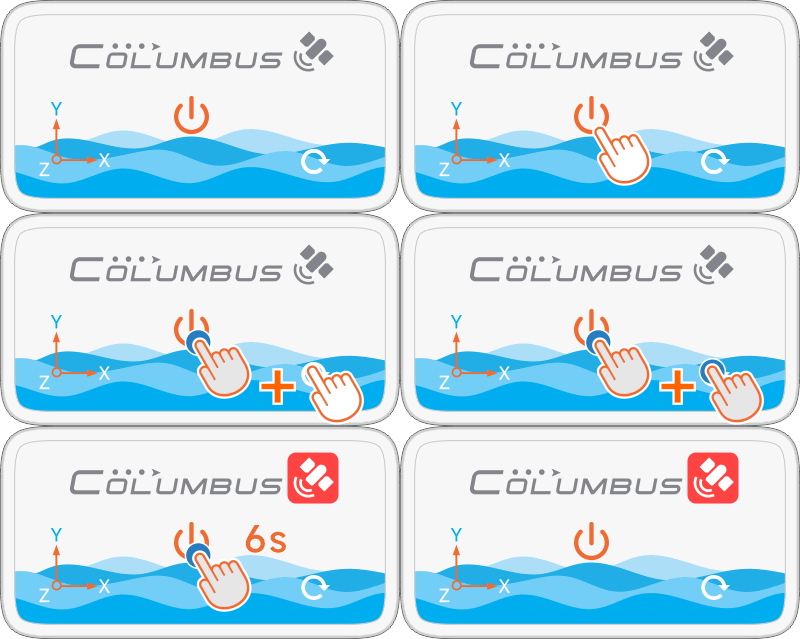
• Press and hold the Power Button, then briefly press the
Reset Button once.
• When the status indicator turns solid red, continue
holding the Power button for approximately
6 seconds.
* Release the Power button and allow the device to remain
idle for approximately 1–2 minutes. When the status
indicator changes from red to green, the reset is complete.
 |
|
