|
>How to Modify Output Messages (NMEA, UBX)< |
|
 By default, the P-70
Ultra outputs NMEA 0183 messages as follows: By default, the P-70
Ultra outputs NMEA 0183 messages as follows:
GNGGA and GNRMC are output once per second, while GNGSA and GNGSV are output
once every 10 seconds.
Since GNGSA and GNGSV contain a large amount of data, you can manually disable
them if they are not needed.
You can also enable specific sentences as required.
In addition to NMEA 0183 messages, the P-70 Ultra also supports UBX protocol
messages. |
|
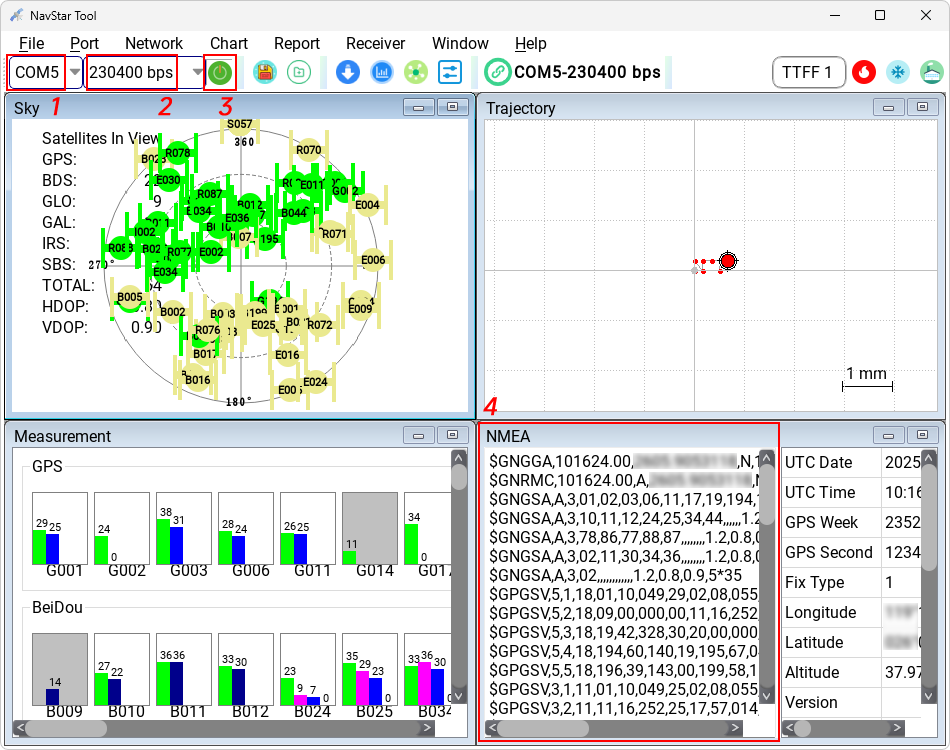
 Select the port
corresponding to "Enhanced COM Port", set
the baud rate to "230400 bps", and click the
"Switch" icon. If data starts scrolling in the "NMEA" window, the connection is
successful. Select the port
corresponding to "Enhanced COM Port", set
the baud rate to "230400 bps", and click the
"Switch" icon. If data starts scrolling in the "NMEA" window, the connection is
successful.
The port numbers in the screenshot may vary depending on the computer and are
for reference only. |
|
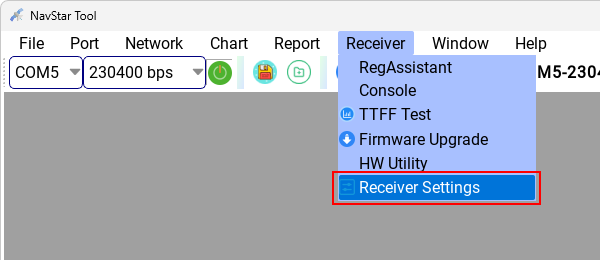
 Click "Receiver" - "Receiver
Settings". Click "Receiver" - "Receiver
Settings". |
|
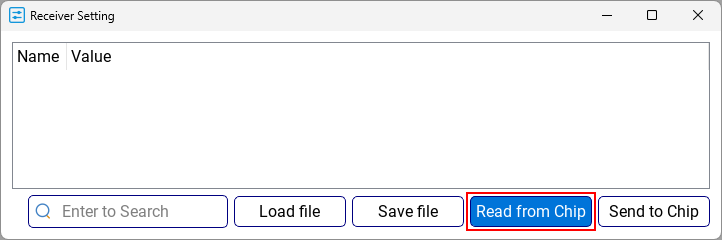
Click "Read from
Chip". |
|
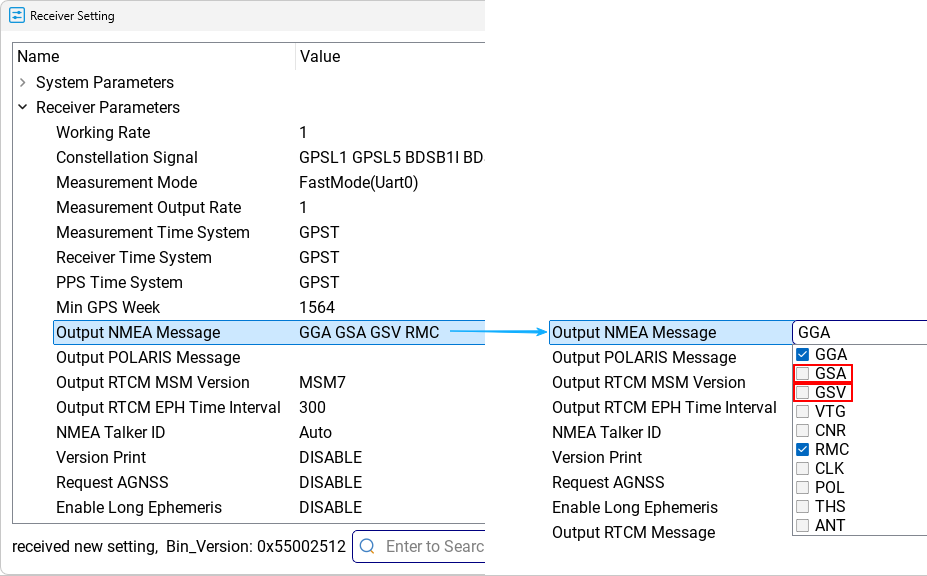
Go to "Receiver
Parameters" - "Output NMEA Message", and uncheck "GSA" and "GSV". |
|
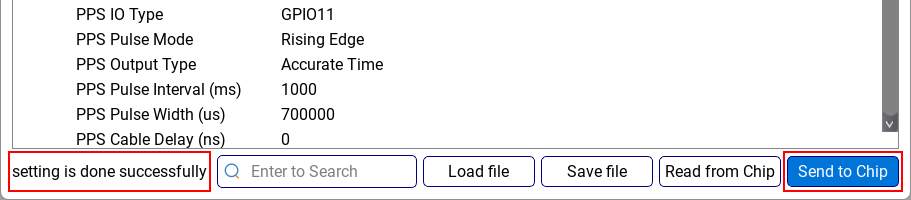
Click "Send to
Chip" to save the settings. When you see "setting is done successfully," it
means the modification has taken effect. |
|
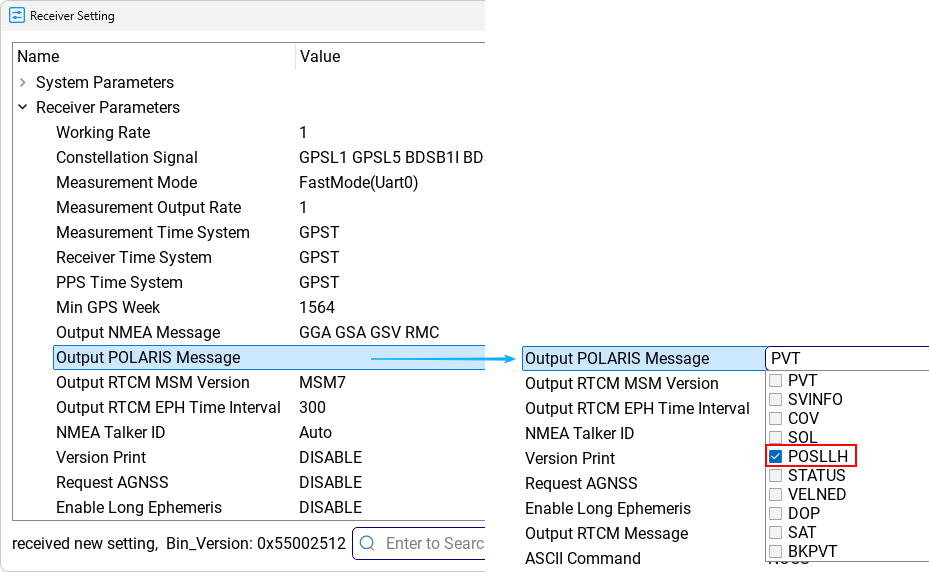
 To enable UBX protocol
messages: To enable UBX protocol
messages:
Go to "Receiver Parameters" - "Output POLARIS Message", and check the messages
you want to output, such as "POSLLH". |
|
Click "Send to
Chip" to save the settings. When you see "setting is done successfully," it
means the modification has taken effect. |
|
The P-70 Ultra can
output the following UBX protocol messages: |
| PVT |
UBX - NAV - PVT (Navigation
PVT Solution) |
| SVINFO |
UBX - NAV - SINFO (SV
Information) |
| COV |
UBX - NAV - COV (Covariance
Matrices) |
| SOL |
UBX - NAV - SOL (Navigation
Solution) |
| POSLLH |
UBX - NAV - POSLLH (Geodetic
Position) |
| STATUS |
UBX - NAV - STATUS
(Navigation Status) |
| VELNED |
UBX - NAV - VELNED (Velocity
WGS84) |
| DOP |
UBX - NAV - DOP (Dilution of
Precision) |
| SAT |
UBX - NAV - SAT (Satellite
lnformation) |
| TIME_GPS |
UBX - NAV - TIMEGPS (GPS
Time) |
| HPPOSLLH |
UBX - NAV - HPPOSLLH (High
Precision Geodetic Position) |
| |
|
|
|
 Download and run "