|
> Complete P-70 Ultra Configuration Command Table < |
|
 All P-70 Ultra
configuration commands can be found in this guide. When developing your own
software or applications, please refer to the command descriptions provided
here. All commands must be sent in hexadecimal format. All P-70 Ultra
configuration commands can be found in this guide. When developing your own
software or applications, please refer to the command descriptions provided
here. All commands must be sent in hexadecimal format. |
|
Using Windows as an Example |
|
 Download and run "NavStarTool". Download and run "NavStarTool". |
|
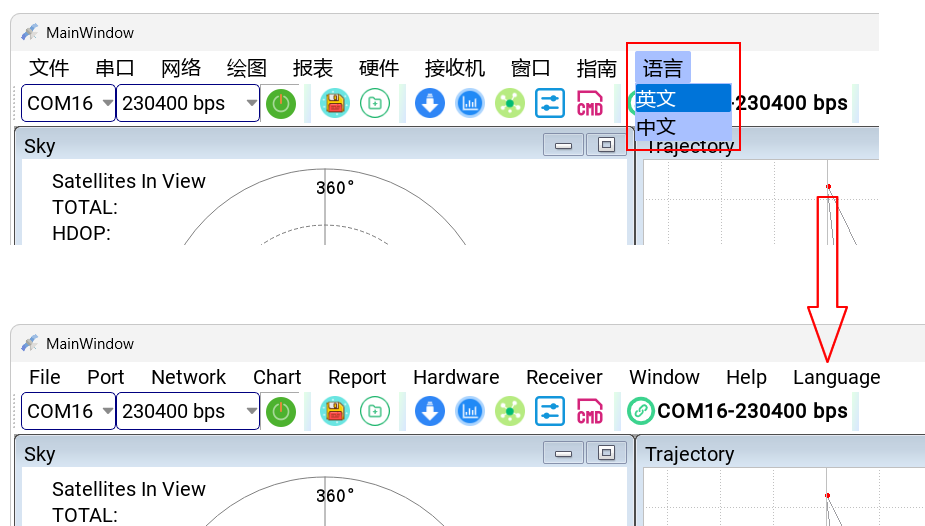
Change the language to "English". |
|
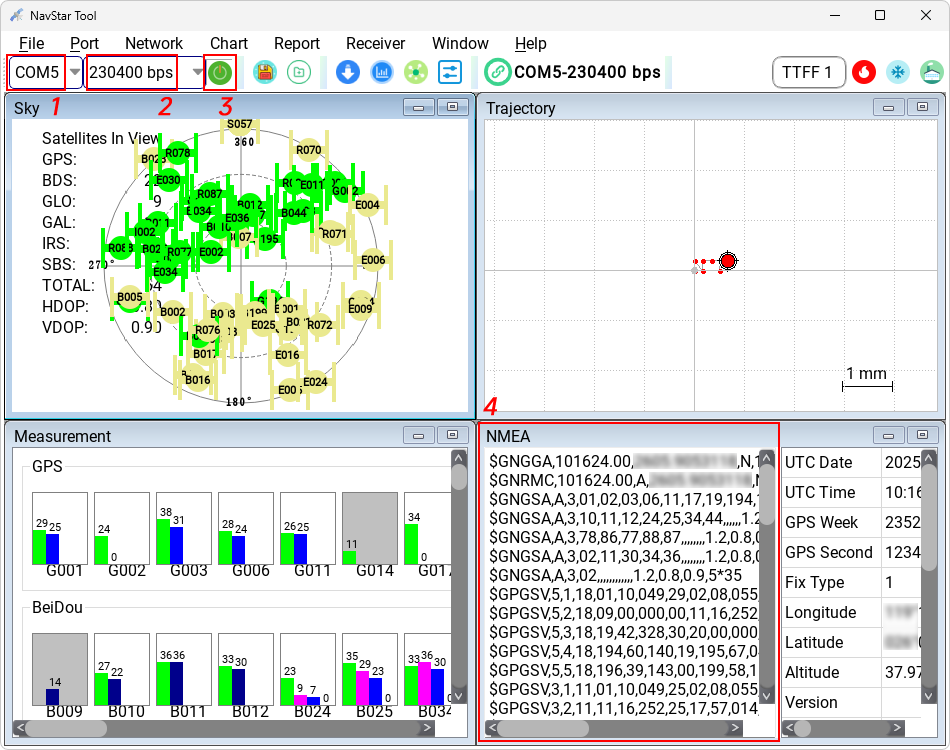
 Select the port
corresponding to "Enhanced COM Port", set
the baud rate to "230400 bps", and click the
Connect icon. When data begins scrolling in the "NMEA" window, the connection
has been established successfully. Select the port
corresponding to "Enhanced COM Port", set
the baud rate to "230400 bps", and click the
Connect icon. When data begins scrolling in the "NMEA" window, the connection
has been established successfully.
Note: The COM port number shown in the screenshots may
differ depending on your computer. The screenshots are for reference only. |
|
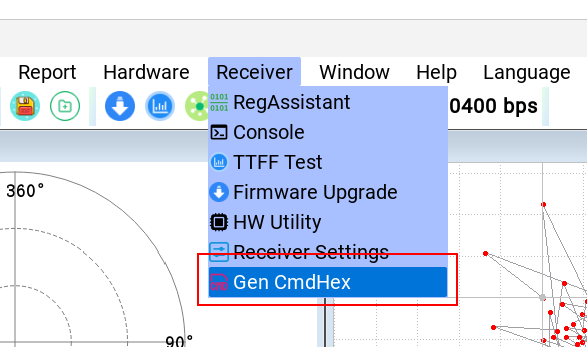
 Click "Receiver → Gen CmdHex". Click "Receiver → Gen CmdHex". |
|
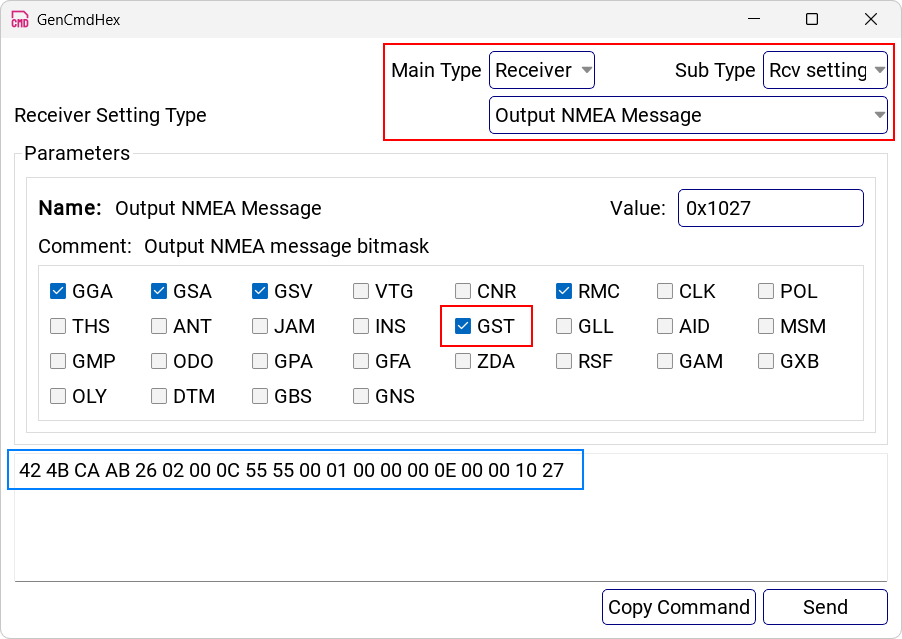
Example 1:
Enabling the "$GNGST" Message.
Navigate to the corresponding configuration section as shown below and check "GST".
The hexadecimal command displayed in the
blue box below is the configuration command.
Please keep the "GGA, GSA, GSV, and RMC" messages enabled,
as these are the P-70 Ultra's default factory settings. |
|
Click "Copy Command" to copy the command to the clipboard, or click "Send" to
send the command to the P-70 Ultra. |
|
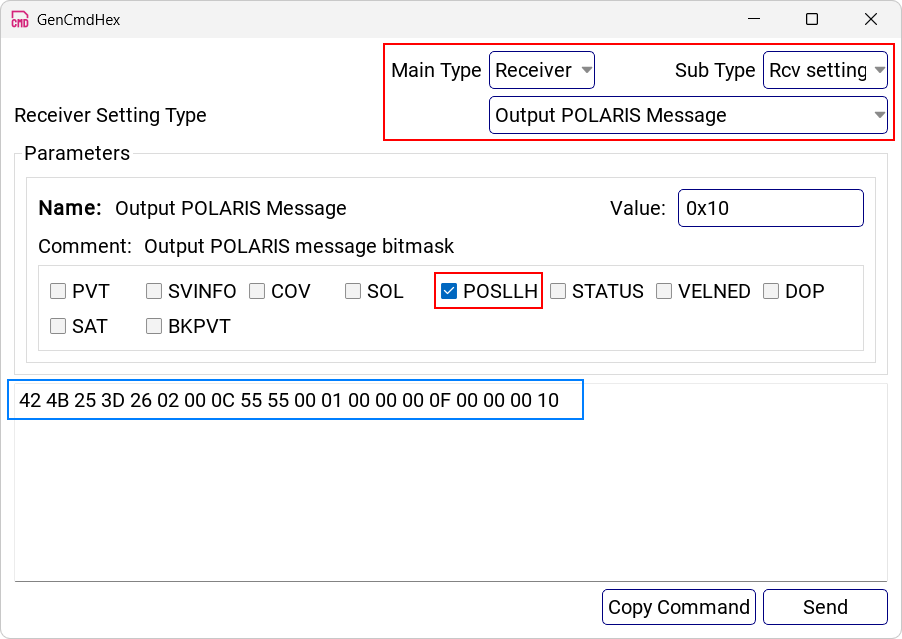
Example 2:
Enabling the "POSLLH" Message
Navigate to the corresponding configuration section as shown below and check "POSLLH".
The hexadecimal command displayed in the
blue box below is the configuration command. |
|
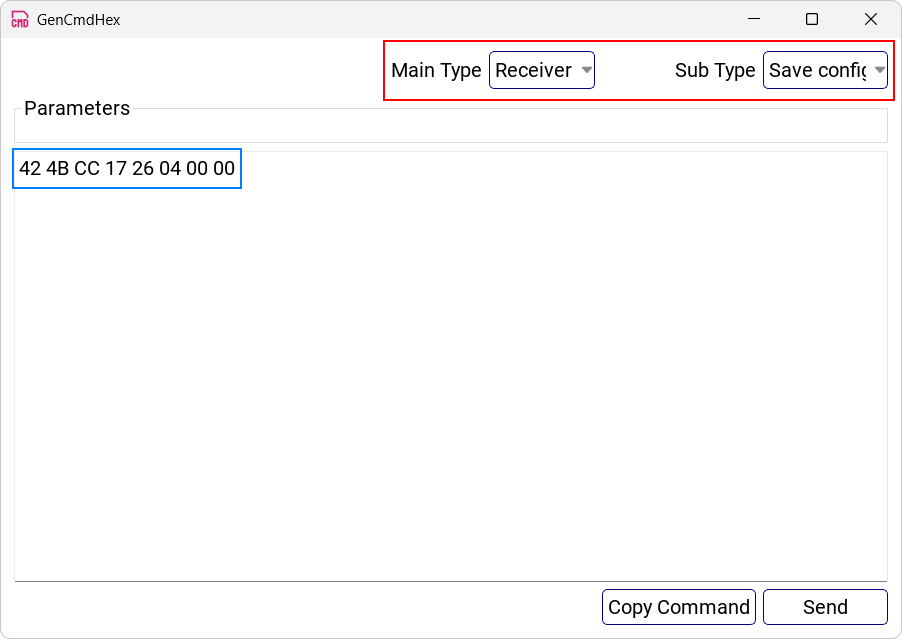
Saving Settings After Power-Off
To save the settings so that they are retained after the device is powered off,
send the following command. |
|
Warning: The baud rate of the P-70 Ultra must not exceed 921600 bps. Setting
a higher baud rate will permanently prevent the P-70 Ultra from communicating
with a terminal, and the device cannot be recovered. |
|