|
 If you need to modify the output messages on
the "USB port", follow the steps below (example: enabling the GNVTG
message):
If you need to modify the output messages on
the "USB port", follow the steps below (example: enabling the GNVTG
message):
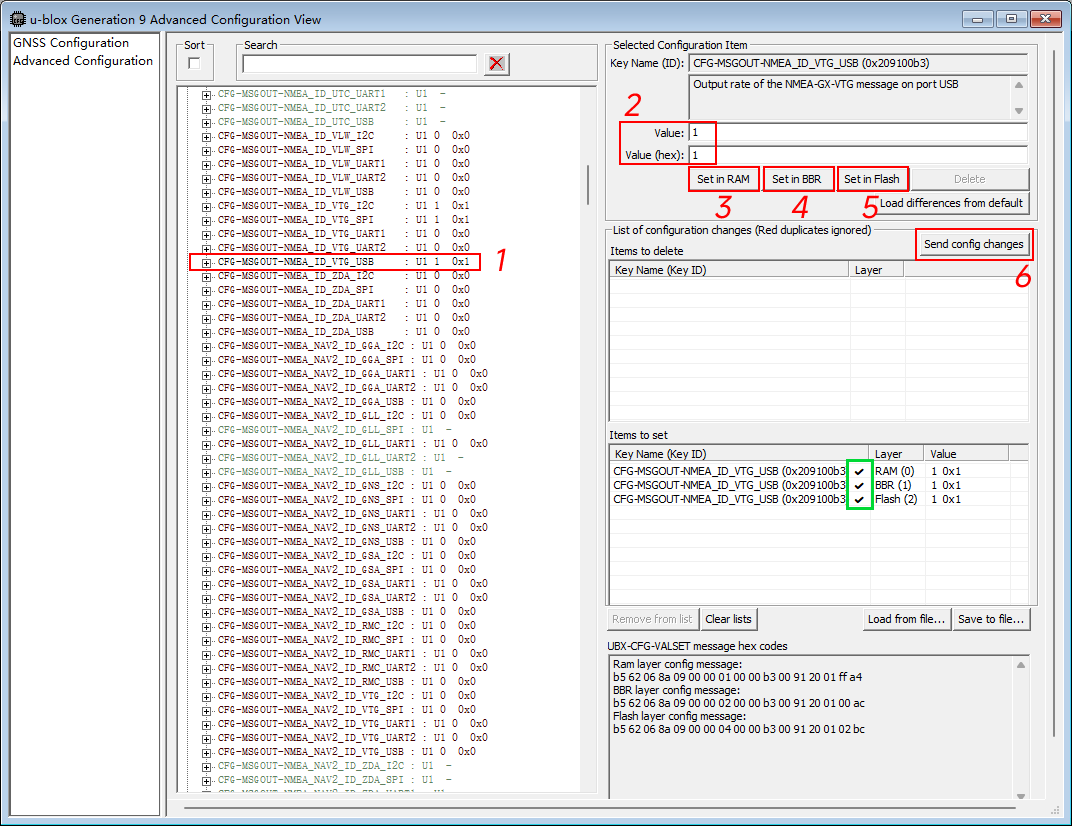
Find "CFG-MSGOUT-NMEA_ID_VTG_USB",
enter "1" in the Value field*, then click "Set in RAM", "Set in BBR",
"Set in Flash" in sequence, and finally click "Send config changes".
When a check mark appears in the green box, it indicates that the
modification was successful.
* When the refresh rate is 1 Hz:
Value = 1 → output once per second
Value = 10 → output once every 10 seconds
* When the refresh rate is 10 Hz:
Value = 1 → output 10 times per second
Value = 10 → output once per second
When Value = 0, the message is disabled.
* "CFG-MSGOUT-NMEA_ID_xxx_USB",
where "xxx" represents the message type. The same method can be used
to enable other messages.。 |
 Open and connect to "u-center".
 Click "View" — "Generation 9 Configuration View".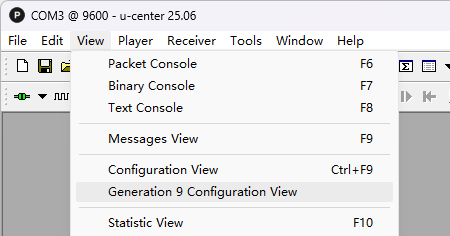
 Click
"Advanced Configuration" — "CFG-MSGOUT".
Click
"Advanced Configuration" — "CFG-MSGOUT".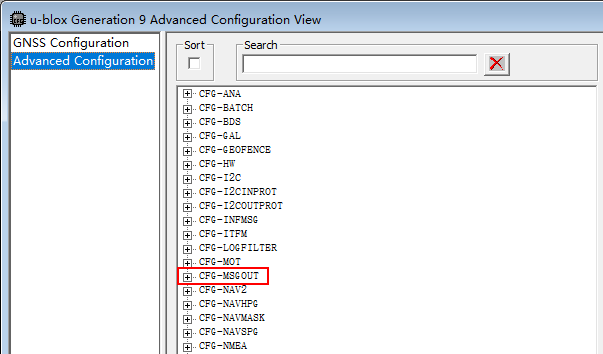
 If you need to modify the messages
stored on the "Micro SD card", follow the steps below
(example: storing the GNVTG message):
If you need to modify the messages
stored on the "Micro SD card", follow the steps below
(example: storing the GNVTG message):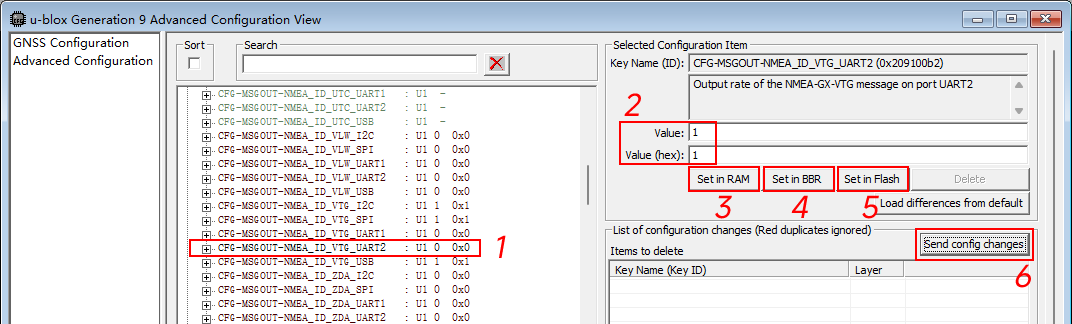
 After importing a configuration file, all output messages
will revert to the default settings. If you need to modify
the output messages, you must configure them again.。
After importing a configuration file, all output messages
will revert to the default settings. If you need to modify
the output messages, you must configure them again.。